In our increasingly digital world, understanding the components that make up computer hardware can feel like stepping into a new realm.
Just as a well-tended garden thrives with the right balance of elements, a computer operates harmoniously when its hardware components work together seamlessly.
Whether you’re a seasoned tech enthusiast or a curious newcomer, exploring these components can lead to a deeper appreciation of the machines we rely on daily.
At the heart of every computer lies the central processing unit, or CPU. Often referred to as the brain of the computer, the CPU is responsible for executing instructions and processing data. It interprets the commands given by software applications and performs the necessary calculations to bring those commands to life. Imagine it as the conductor of an orchestra, coordinating various instruments to create a beautiful symphony. The speed and efficiency of a CPU can significantly impact how smoothly your computer runs, making it a vital component for both casual users and gamers alike.
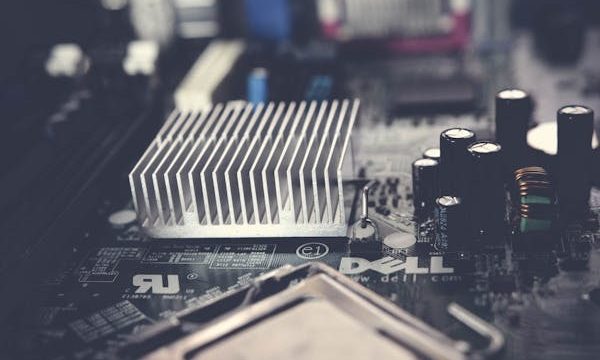
Next, we encounter the motherboard, a vital piece of the puzzle that connects all the components of a computer. The motherboard serves as the foundation, allowing communication between the CPU, memory, storage, and other peripherals. It houses the circuitry that enables these parts to function together, much like the roots of a tree supporting its branches and leaves. When choosing a motherboard, factors like size, compatibility, and features play a crucial role in ensuring that your computer can adapt to future upgrades or changes.
Memory, often referred to as RAM (random access memory), is another essential element in the computer hardware landscape. RAM is where your computer temporarily stores data that is actively being used or processed. Think of it as a workspace where tasks can be quickly accessed and manipulated. The more RAM your computer has, the more tasks it can handle simultaneously, allowing for smooth multitasking and improved performance. In a world where efficiency is key, having sufficient RAM can enhance your overall experience, whether you’re browsing the web, editing videos, or playing games.
Storage is where your data resides, and it comes in two primary forms: hard disk drives (HDD) and solid-state drives (SSD). HDDs have been around for decades and utilize spinning disks to read and write data. While they offer ample storage space at a lower cost, they can be slower compared to their more modern counterpart, the SSD. Solid-state drives, on the other hand, use flash memory to store data, resulting in faster boot times and quicker file access. Opting for an SSD can transform your computing experience, making it feel snappier and more responsive.
As we delve deeper, we encounter the graphics processing unit, or GPU. This component is crucial for rendering images, videos, and animations. Gamers and graphic designers often seek powerful GPUs to ensure that their visuals are sharp and lifelike. The GPU takes on the heavy lifting when it comes to processing graphics, allowing the CPU to focus on other tasks. In a way, it acts as an artist, bringing digital creations to life with vibrant colors and intricate details.
Cooling systems are another aspect of computer hardware that often goes unnoticed, yet they play a pivotal role in maintaining optimal performance. As components like the CPU and GPU generate heat during operation, effective cooling solutions—such as fans or liquid cooling systems—help dissipate this heat, ensuring that your computer remains within safe temperature limits. A well-cooled system not only prolongs the life of your hardware but also enhances its performance, much like how a cool breeze can refresh and invigorate on a warm day.
Power supplies are the unsung heroes of computer hardware, providing the necessary energy to keep everything running smoothly. A reliable power supply ensures that each component receives the correct voltage and current, preventing potential damage and system instability. When assembling or upgrading a computer, it’s essential to choose a power supply that meets the demands of your hardware, ensuring a steady flow of energy that supports your computing needs.
Peripherals, such as keyboards, mice, and monitors, are the final touchpoints that connect us to our machines. These devices allow us to interact with our computers, making the experience personal and intuitive. A comfortable keyboard and responsive mouse can transform the way we work or play, enhancing productivity and enjoyment. Monitors, too, come in a variety of sizes and resolutions, impacting how we view and engage with digital content. Choosing the right peripherals can elevate your computing experience, much like selecting the perfect tools for a creative project.
As we navigate through the landscape of computer hardware, it becomes clear that each component plays a unique and essential role. Much like a well-balanced lifestyle, a computer thrives when its parts work in harmony. Understanding these components not only empowers us to make informed choices when building or upgrading our systems but also deepens our appreciation for the technology that enriches our lives.
In a world where technology is ever-evolving, staying informed about the essentials of computer hardware can enhance our interactions with these machines. Whether you’re a casual user looking to improve your home office setup or a gamer seeking high-performance capabilities, knowing the ins and outs of computer components can guide you toward making choices that align with your needs.
Ultimately, embracing the intricacies of computer hardware can lead to a more fulfilling and efficient digital experience. As we continue to explore and adapt to the technological landscape, let us remember the importance of balance and harmony in our machines, reflecting the same principles in our daily lives.